
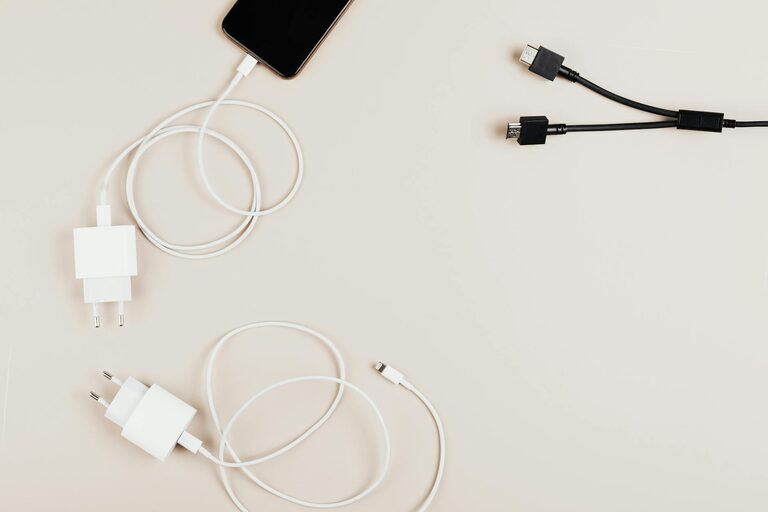
Setting up a dedicated charging station for your devices is a practical way to keep your gadgets organized, charged, and ready to use. Whether you have smartphones, tablets, smartwatches, or wireless earbuds, a centralized charging area helps reduce clutter and ensures you never run out of battery when you need it most.
In this post, we’ll guide you through the steps to create your own charging station at home, along with tips on choosing the right equipment and organizing your space efficiently.
Why Create a Charging Station?
Before diving into the setup, it’s worth understanding the benefits of having a charging station:
– Organization: No more tangled cords or scattered devices.
– Efficiency: Charge multiple devices simultaneously in one location.
– Safety: Reduces risks of tripping over cables or mishandling chargers.
– Aesthetics: Keeps your space neat and visually appealing.
– Convenience: Know exactly where to find your devices when you need them.
Step 1: Choose the Location
Picking the right spot for your charging station is crucial.
Key considerations:
– Accessibility: Choose a place that is easy to reach, like a desk, kitchen counter, or bedside table.
– Power Outlet Availability: Ensure there are enough power sockets near the location to accommodate your charging needs.
– Ventilation: Select a spot where devices won’t overheat, avoiding enclosed or overly warm areas.
– Space: Look for an area that can hold all your devices without feeling cramped.
Step 2: Select Your Charging Equipment
Your charging station setup will depend on the number and types of devices you want to charge.
What to consider:
– Charging Hub or Power Strip: A multi-port USB charging hub is ideal as it can charge several devices simultaneously and reduces the number of bulky chargers.
– Wireless Chargers: For compatible devices, wireless charging pads or stands offer clutter-free charging without the need to plug in cables constantly.
– Charging Cables: Invest in quality, durable cables long enough to reach your chosen charging spot.
– Cable Organizers: Clips, sleeves, or boxes can keep wires neat and tangle-free.
Step 3: Organize Your Station
A tidy station is key for functionality and appearance.
Tips for organizing:
– Use cable management clips or adhesive holders to keep cords in place.
– Consider a charging box or drawer with holes for cables to hide unsightly wires.
– Labeling cables or ports can help identify device connections quickly.
– Use small trays or containers to hold accessories like headphones or charging adapters.
Step 4: Arrange Devices for Easy Access
Position your devices according to how often you use them.
– Place frequently used gadgets front and center.
– Stack less-used devices neatly or in a dedicated slot.
– Utilize vertical stands or holders to save space.
Step 5: Maintain Your Charging Station
Once your charging station is set up, keeping it functional requires occasional upkeep.
– Regularly check cables for wear and replace as needed.
– Clean the area to avoid dust buildup on devices and chargers.
– Update or add charging equipment as your device collection grows or technology changes.
Bonus Tips for an Enhanced Charging Station
– Add a small lamp or LED light to illuminate your station, especially if located in a dim area.
– Use a smart power strip to automatically cut power to devices when fully charged, saving energy.
– Integrate a small notepad or organizer nearby to jot down reminders related to your devices.
Conclusion
Creating a personalized charging station is a straightforward way to improve device management at home. By thoughtfully selecting your location, equipment, and organization methods, you can enjoy a clutter-free and efficient space that keeps your gadgets powered and ready for use.
Start with these steps today and make device charging a hassle-free part of your daily routine!