
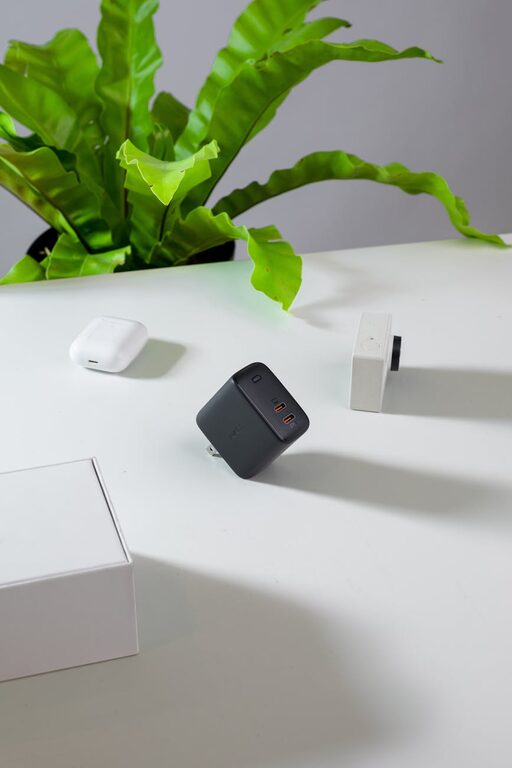
Creating a charging station for your devices is a simple way to keep your gadgets organized and ensure they’re always ready to go. Whether you have smartphones, tablets, smartwatches, or wireless earbuds, a designated spot to charge them prevents tangled cords and cluttered spaces. In this post, we’ll walk you through everything you need to know to set up your own charging station at home or in the office.
Why Set Up a Charging Station?
With multiple devices in use daily, charging cables and adapters often get scattered across rooms, leading to frustration and clutter. A dedicated charging station helps you:
– Keep all charging cables and devices in one spot
– Reduce clutter and tangled cords
– Monitor device charging more easily
– Create a clean, organized workspace or living area
Choosing the Right Location
The first step is picking the ideal spot for your charging station. Consider these factors:
– Accessibility: Choose a location where you and other users can easily reach the devices. Common areas like living rooms, kitchens, or home offices work well.
– Power Source: Make sure there’s a nearby power outlet or use an extension cord or power strip to accommodate multiple chargers.
– Ventilation: Allow air circulation around devices to prevent overheating during charging.
– Safety: Keep the station away from water sources or areas prone to spills.
What You’ll Need
Before setting up, gather the following items to ensure your station meets your needs.
Essential Supplies
– Power Strip or Charging Hub: A power strip with surge protection is ideal for plugging in multiple chargers. Alternatively, multi-port USB charging hubs save space by reducing the number of cables.
– Charging Cables: Collect the appropriate cables for your devices — USB-C, Lightning, micro-USB, etc.
– Cable Organizers: Cable clips, ties, or sleeves help keep cords tangle-free.
– Containers or Holders: Use trays, boxes, or shelves to organize devices while charging.
Optional Extras
– Labeling Supplies: Label cables or charging spots if multiple people use the station.
– Wireless Charging Pads: For compatible devices, wireless pads offer cable-free charging.
– Decorative Elements: Small plants or décor can make the station blend with your space nicely.
Step-by-Step Setup Guide
Follow these steps to create an efficient and tidy charging station.
1. Clear and Clean the Area
Start with a clutter-free surface like a small table, shelf, or countertop. Wipe it down so that dust and debris won’t interfere with your setup.
2. Position the Power Source
Place your power strip or charging hub near the outlet and route the main cord safely to avoid tripping hazards. Use adhesive cable clips or cord covers to keep cables tidy and secure.
3. Organize Charging Cables
Sort your cables by type and length. Use cable organizers to bundle excess lengths and prevent tangles. Mount cable clips along the edge of the surface to hold cables in place for quick access.
4. Arrange Charging Devices
Decide how you want to position each device. Use stands or holders for phones and tablets to keep screens visible. For smaller accessories like earbuds or smartwatches, designate a tray or small container.
5. Label Components (If Needed)
If multiple family members share the station, label cables or charging spots to avoid confusion.
6. Test the Setup
Plug devices in and check that all are charging properly. Verify that cables have enough slack to plug in devices without strain.
Tips for Maintaining Your Charging Station
– Regularly Detangle and Clean: Every few weeks, check cables for tangles or damage and clean the surface.
– Limit Overloading: Avoid plugging too many high-power devices into one outlet to prevent overheating.
– Update Cables and Chargers: Replace worn or faulty cables to ensure safe charging.
– Keep It Centralized: Encourage everyone in your household or office to use the station to keep devices organized.
Creative Ideas for Charging Stations
– Drawer Charging Station: Convert a drawer with cable holes to hide cords while charging devices out of sight.
– Charging Station with Key Holder: Combine your charging setup with hooks for keys and wallets near the front door.
– Wall-Mounted Station: Use floating shelves or charging lockers to save countertop space in busy areas.
Benefits Beyond Organization
Besides keeping your devices powered and tidy, a charging station can help improve your daily routine by reducing time spent searching for chargers or misplaced devices. Establishing a regular “charging spot” encourages good habits and extends the life of your cables and batteries.
—
Setting up a charging station doesn’t require much time or expense but makes a big difference in device management. Once in place, you’ll appreciate having a neat, functional space dedicated to powering your essential electronics. Start small and customize your station to fit your devices and lifestyle perfectly!